
GrandLinks ITSM
Enterprise ITSM built for control, visibility and secure service operations.
GrandLinks ITSM, developed by Pulsar, is implemented and supported in Angola by iSoft. It brings help desk ticketing, IT asset management, infrastructure and security monitoring, endpoint evidence and protection, and remote administration into one system.
Powerful Capabilities
Everything you need to transform your operations
AI-Powered Assistant
Suggests solutions on tickets and keeps the conversation history. Optional: uses an external AI service (OpenAI) and can be switched off.
15 Major Modules
Comprehensive IT management with 50+ sub-features across all modules.
Real-time Notifications
Live data updates and instant notifications for all system events.
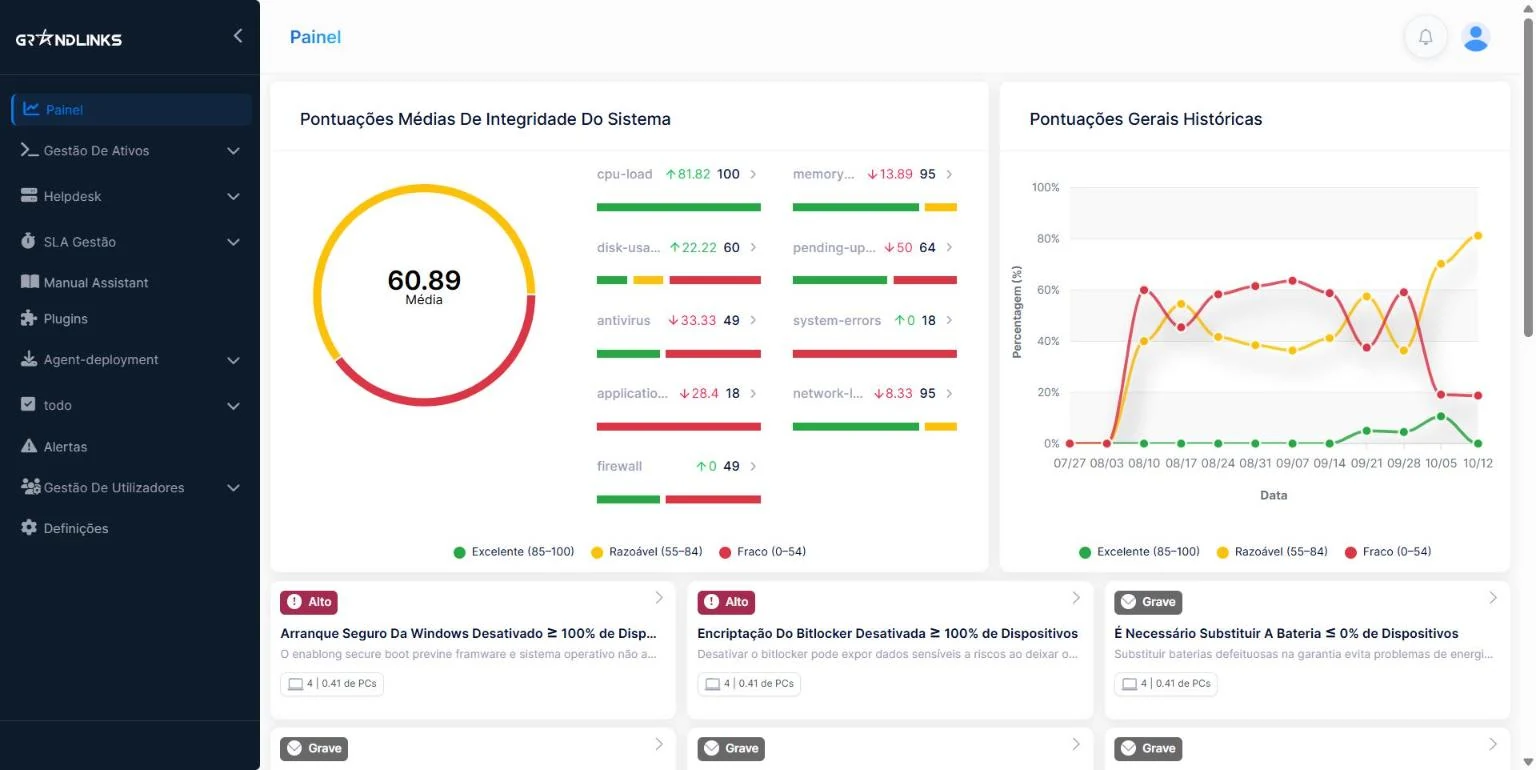
Dashboard & Analytics
Interactive charts, metrics, and customizable widget-based dashboard.
Enterprise Security
Role-Based Access Control (RBAC), audit trails, and secure authentication.
Remote Administration
SSH, VNC, remote commands, and batch operations across systems.
What changes with GrandLinks ITSM
For organisations with a head office, departments, provinces and remote offices.
Complete IT Management Solution
15 major modules with 50+ sub-features for comprehensive IT infrastructure management
Dashboard & Analytics
Real-time system health monitoring, interactive charts and visualizations, asset overview statistics, ticket analytics and trends, performance metrics, and customizable widget-based dashboard.
- Real-time system health monitoring
- Interactive charts and visualizations
- Asset overview statistics
- Ticket analytics and trends
- Performance metrics
- Customizable widget-based dashboard
Reports & Analytics
Comprehensive reporting with historical health scores, security audit metrics, application error statistics, ticket performance reports, assignee workload analysis, department analytics, and export to Excel/CSV.
- Historical health scores
- Security audit metrics
- Application error statistics
- Ticket performance reports
- Assignee workload analysis
- Department analytics
- Export to Excel/CSV
Assets Management
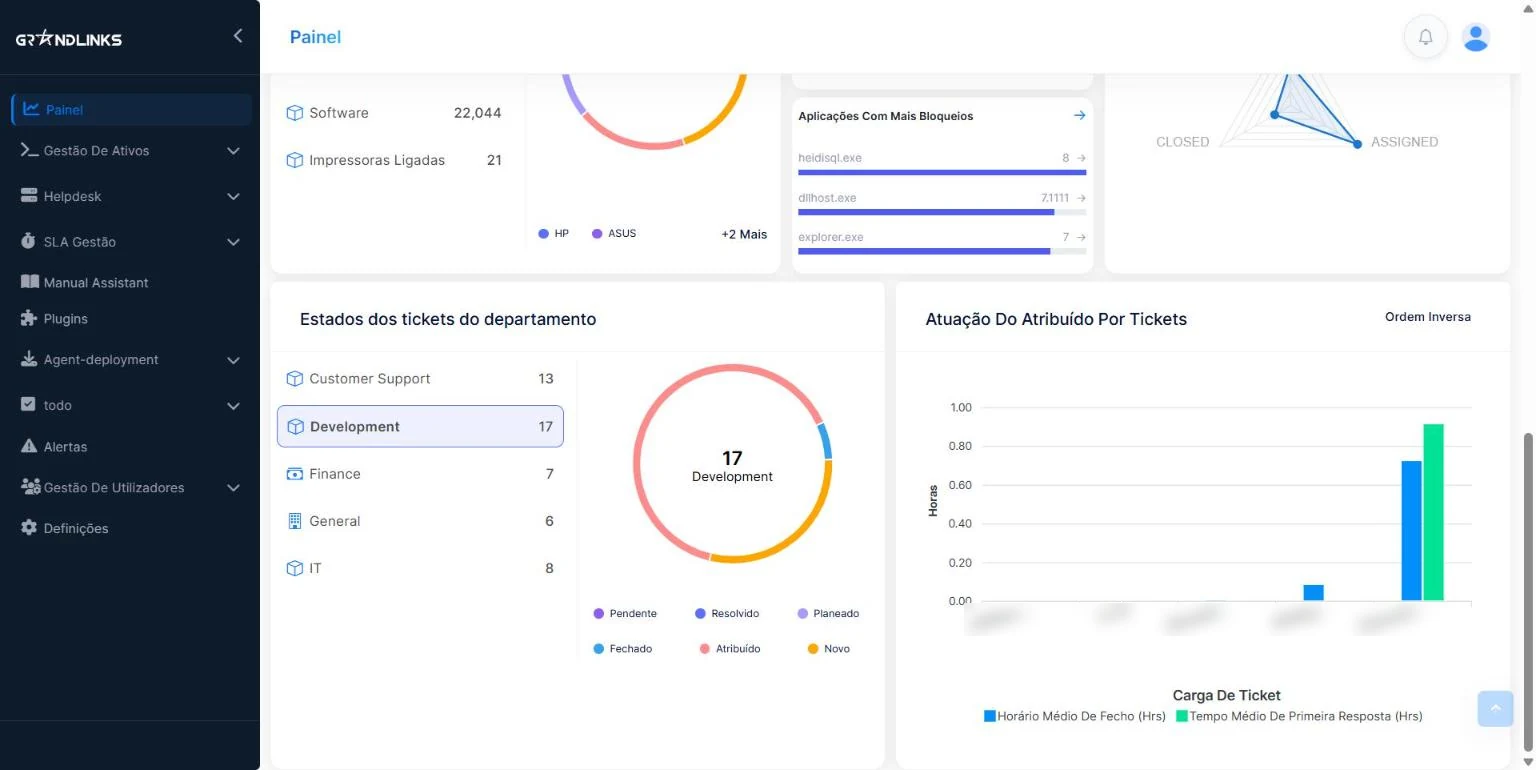
A Windows agent on each PC feeds a complete IT asset inventory for computers, monitors, printers, software, network devices, and other assets with hardware/software tracking, health score monitoring, asset location mapping, Windows Event Log integration, and export capabilities.
- Complete IT asset inventory
- Hardware/software tracking
- Health score monitoring
- Asset location mapping
- Windows Event Log integration
- Export capabilities
Help Desk & Tickets
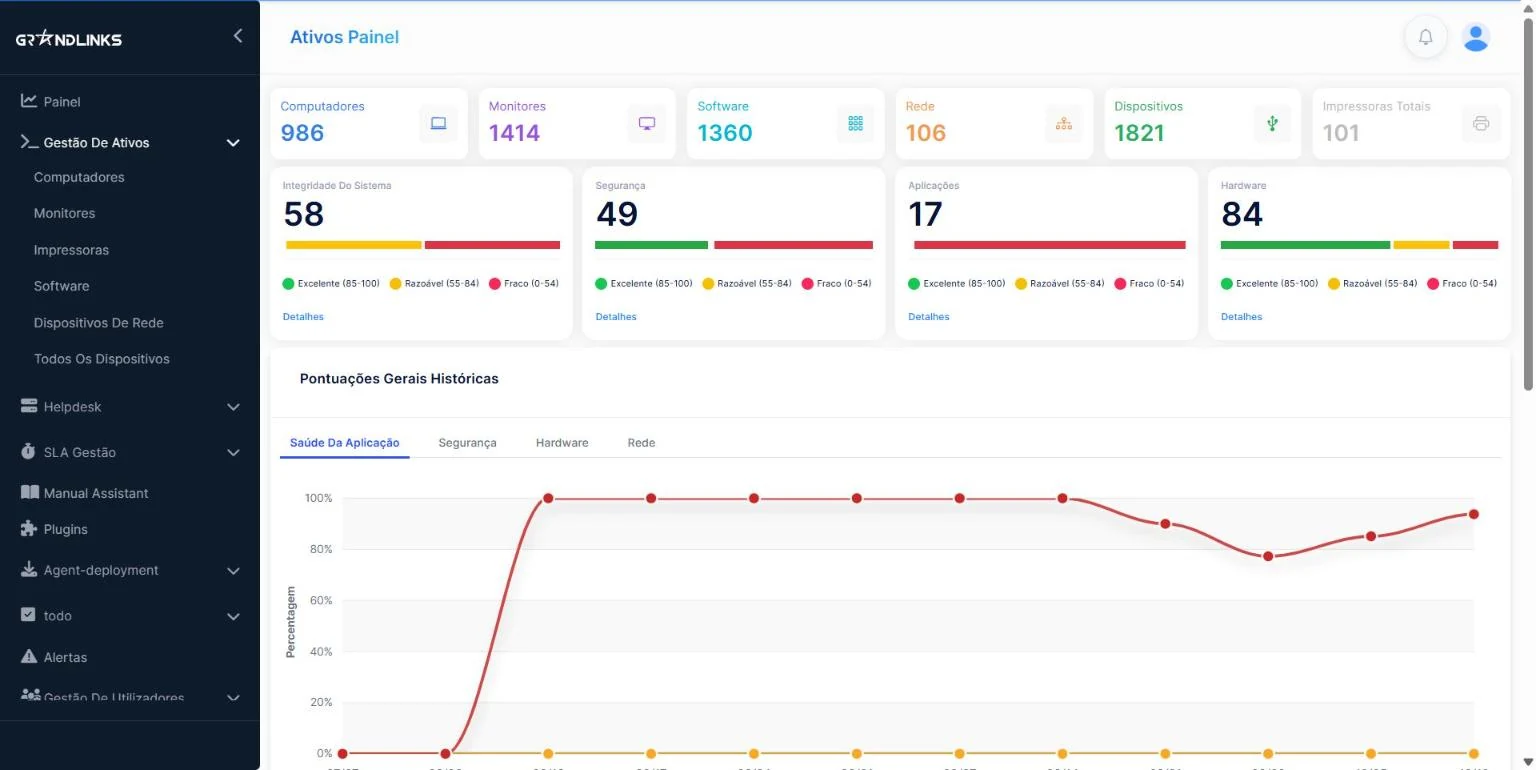
Full ticket lifecycle management with optional AI assistant (uses OpenAI), automated ticket analysis, solution suggestions, conversation history, ticket assignment and routing, priority and status workflows, department-based organization, and advanced filtering and search.
- Full ticket lifecycle management
- AI assistant (optional, uses OpenAI)
- Automated ticket analysis
- Solution suggestions
- Conversation history
- Ticket assignment and routing
- Priority and status workflows
- Department-based organization
- Advanced filtering and search
- Service catalogue with ticket templates

User Management
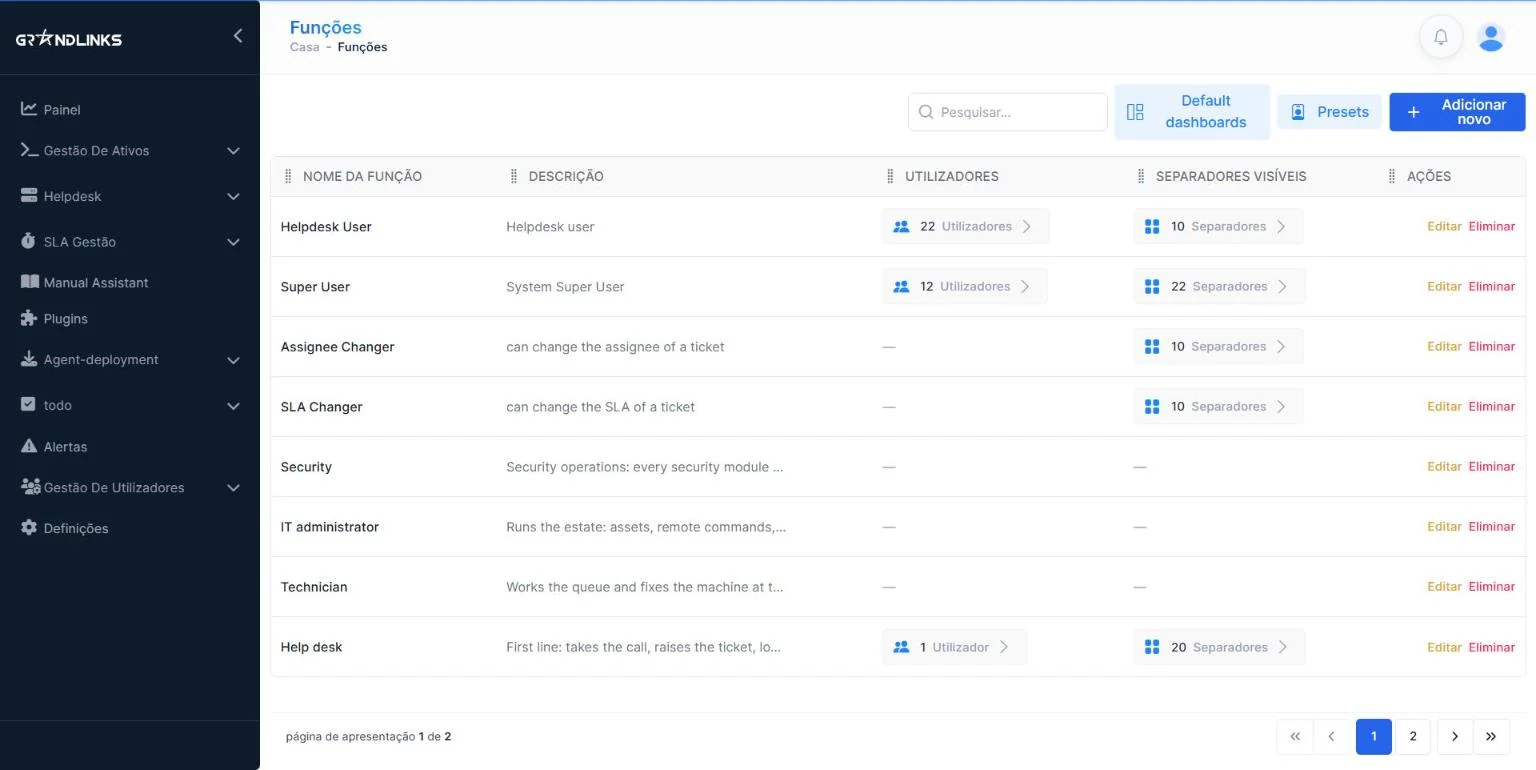
Complete user management with user accounts and profiles, Role-Based Access Control (RBAC), groups and departments, location management, and login audit for security audit trails.
- User accounts and profiles
- Role-Based Access Control (RBAC)
- Groups and departments
- Location management
- Login Audit - Security audit trails
Also included in GrandLinks ITSM
SLA Management
SLA policies with response and resolution targets, rules that match each ticket to the right policy, and escalation to a department or user when a deadline is at risk. Compliance dashboards show met SLAs, breaches and tickets at risk.
- Compliance dashboard with daily, weekly or monthly trends
- Today's breaches and tickets at risk
- Policies with conditions and response and resolution targets
- Escalation to a department or user
- Breakdowns by priority, urgency, department, location and policy
Technician Scheduling
A daily and weekly calendar for each technician, with tasks linked to tickets or standalone. Drag a task to another technician or time slot, put work on hold and resume it, and see at once what is still unassigned.
- Daily and weekly calendar per technician
- Drag-and-drop scheduling, with confirmation
- Tasks linked to tickets or standalone
- Unassigned and unresolved task views
- Hold and resume tasks
Endpoint Evidence and Protection
For Windows PCs: device location, camera photo, voice recording, screenshots, security commands and Wi-Fi location lookup. For company-owned devices, used under the customer's own policy.
- Geographic Tracking - Real-time device location (Mapbox GL)
- Camera Pictures - Remote camera activation
- Voice Recording - Remote microphone access
- Screenshots - Automated screenshot capture
- Remote Commands - lock, shut down, restart, message, alarm, disable USB
- Wi-Fi Locator - location from nearby Wi-Fi networks
Hyper Commands (Remote Admin)
Remote administration capabilities including software installation across multiple systems, remote SSH for secure terminal access, remote console with VNC-based desktop control, and batch operations.
- Software Installation - Remote deployment across multiple systems
- Remote SSH - Secure terminal access
- Remote Console - VNC-based desktop control
- Batch operations across many PCs
Network Monitoring
Comprehensive monitoring with host and host group management, monitoring templates, real-time problem detection, performance graphs and metrics, and alert management.
- Host and host group management
- Monitoring templates
- Real-time problem detection
- Performance graphs and metrics
- Alert management
Endpoint Detection & Response
Elastic Security integration with security rules management, threat alert monitoring, and fleet agent management.
- Elastic Security integration
- Security rules management
- Threat alert monitoring
- Fleet agent management
Vulnerability Scanning
Security plugins that look for vulnerabilities on the network, in the software installed on each PC (checked against the NVD database), in programs that start automatically with Windows, and in your websites and web applications.
- Network Scanner - Finds vulnerabilities on the network (OpenVAS)
- Software Vulnerabilities - Checked against the NVD database
- Startup Programs - Programs that start automatically on each PC
- Web Scanner - Vulnerabilities in websites and web applications (Nuclei)
Governance
Records of software licences, vendor contracts and digital certificates, with owner, department, cost and renewal dates. Items about to expire are highlighted before they cause problems.
- Licences with seats used and total seats
- Contracts with renewal dates, contacts and costs in Kz
- SSL and code-signing certificates
- Expiring-item highlights and expiration trends
- Cost analysis and vendor dependency
Access Security
Sign-in protected by two-factor authentication, reCAPTCHA checks and a block after four failed attempts. Works with LDAP and Active Directory.
- Two-factor authentication with a 6-digit code
- reCAPTCHA v3 check at sign-in
- Block after four failed attempts
- Password reset with a link valid for 30 minutes
- LDAP and Active Directory integration
Settings
System configuration with user preferences, system configuration, SMTP/SNMP settings, and integration management.
- User preferences
- System configuration
- SMTP/SNMP settings
- Integration management
Enterprise-Grade Technology
Built with modern technologies for reliability and performance
Your data stays under your control
Service history, security records and audit evidence remain your organisation’s own.
Controlled deployment
On your organisation's internal infrastructure or in a private environment, in line with your policy.
Role-based access
Executive, manager, technician and user access separated by responsibility.
Audit and traceability
Records of service activity, asset changes, assignments, approvals and closure.
Backup and recovery
Service records, asset intelligence and governance evidence protected as institutional information.
GrandLinks ITSM documentation
Read online or download as PDF, in Portuguese or English.
Executive Introduction
For management: the challenges GrandLinks ITSM solves, control across provinces and offices, and the benefits for leadership.
Portuguese version
Features & Advantages Brochure
The main features by area: service, assets, remote support, monitoring, security and governance.
Portuguese version
Feature Catalogue
A reference of every module and its sub-features, for technical teams.
Portuguese versionHow iSoft implements GrandLinks ITSM
One local team, from the first workshop to support after go-live.